Take a Screenshot
Galaxy J2 Dash (J260A)
Take a Screenshot
Learn how to take a screenshot and share or edit your screenshot.
Take a screenshot
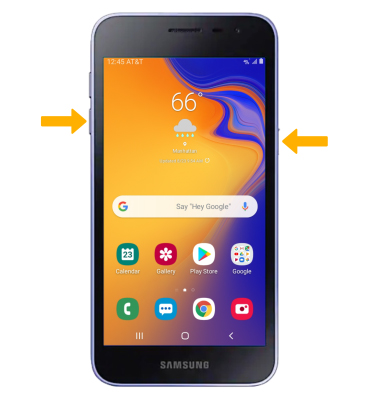
Press and hold the Power/Lock and Volume down buttons.
Note: To access screenshots, from the home screen select the  Gallery app > Albums tab > Screenshots.
Edit or share screenshots
From the desired screenshot, select the desired option:
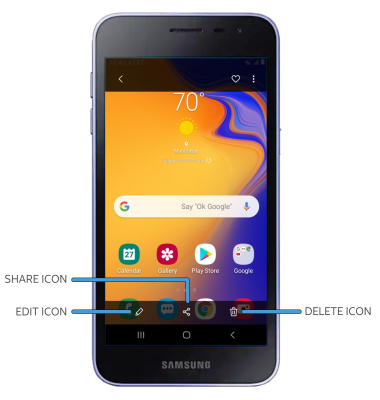
• EDIT/CROP A SCREENSHOT: Select the Edit icon, then edit screenshot as desired.• SHARE A SCREENSHOT: Select the Share icon.• DELETE A SCREENSHOT: Select the Delete icon.