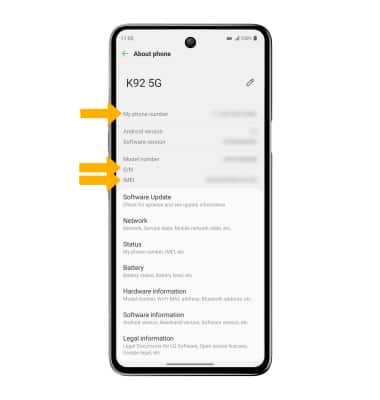
Find IMEI, Phone & Serial Number
K92 5G (LM-K920AM)
Find IMEI, Phone & Serial Number
Learn how to locate your device's IMEI, serial number, and phone number.
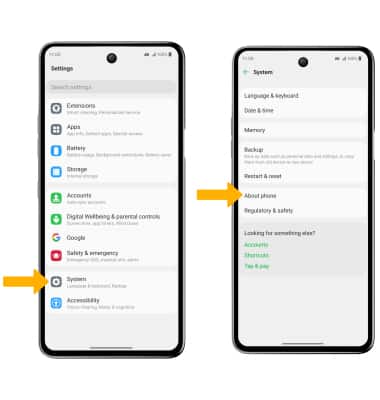
- Swipe down from the Notification bar, then select the
 Settings icon.
 - Scroll to and select System, then select About phone.
3. Here you can view the Phone number, Serial Number (S/N), and IMEI associated with the device.
Note: You can also view your IMEI by entering *#06# from the keypad.