Phone Assembly
Phone Assembly
MicroSD/memory cards expand the storage capacity of device and are sold separately. This device can use a microSD card up to 1024GB.
In this tutorial, you will learn how to:
• Remove back cover and battery
• Insert SIM card
• Insert microSD card
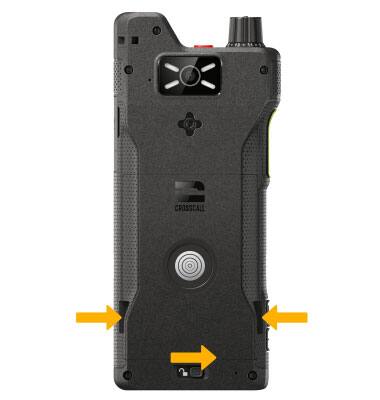
Remove battery cover and battery
Slide right on the Key lock at the bottom of the battery cover to unlock, then lift up battery from the side notches on the bottom left and right.
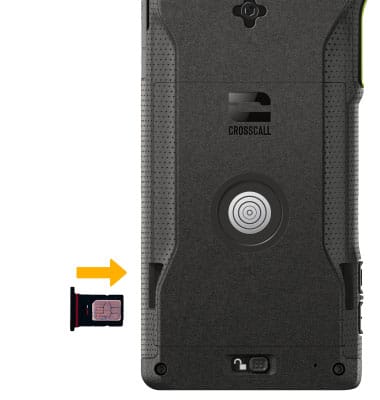
Insert SIM card
Place the SIM card into the SIM tray with the metal contacts facing up and the notched edge on the top right. Gently press the microSD card in until it clicks into place.
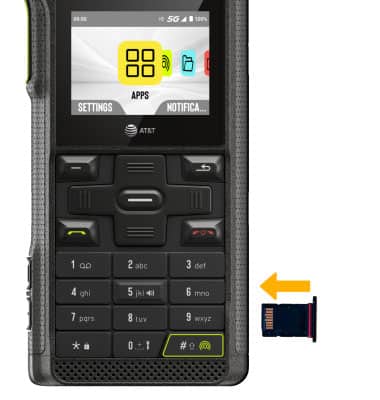
Insert microSD card
Place the microSD card into the SIM tray with the metal contacts facing up and the notched edge on the bottom left. Gently press the microSD card in until it clicks into place.
Storage
Internal Memory: Up to 64GB
External Memory: Up to 1024GB