Unlocking the screen
Galaxy Tab S3
Unlocking the screen
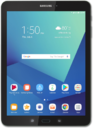
Learn how to unlock the screen on your device. You can change your lock screen to have different types of security locks, including pattern, pin and password. Your device may automatically lock after a certain amount of time depending on your screen timeout settings. Ensure that you remember the code for unlocking your device; if you forget your unlock code you may lose the information on your device.
1.
From the Lock screen, swipe up to unlock your tablet.
2.
Enter your PIN.
For this tutorial, we're showing how to unlock the screen with a PIN. However, you may have a different type of screen security set up. If you don't have screen security set up, simply drag the Lock icon up to unlock it.
3.
Tap OK.
You can access the most common functions of your device right from the Lock screen. Drag any icon toward the top of the screen to open the related app.
4.
You've completed the steps!
