- From the home screen, select the Phone icon.
Note: Alternatively, set up voicemail by holding the 1 key from the Dialpad. If prompted, enter your voicemail password, then follow the prompts. If you have forgotten your voicemail password, you will need to reset your voicemail password.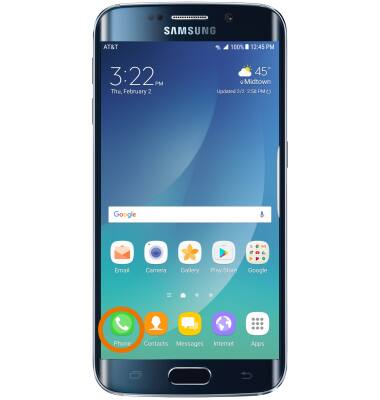
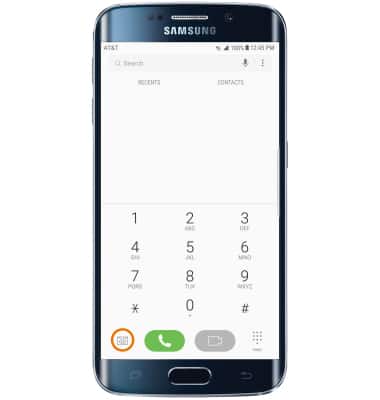
- From the Dial tab, select the Visual Voicemail icon.
- Select START.
Note: If you are a new customer and have not established a voice mailbox, you will be prompted to choose a password and greeting.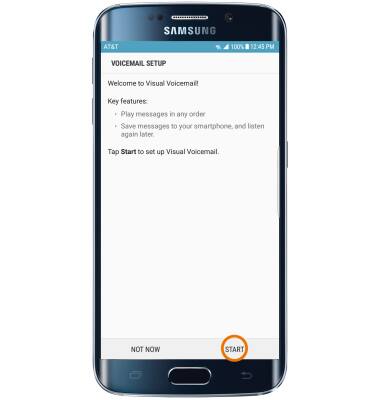
- Select OK.
Note: View Access voicemail messages for tips to manage your voicemail. Go to Troubleshoot Voicemail for solutions to common voicemail problems.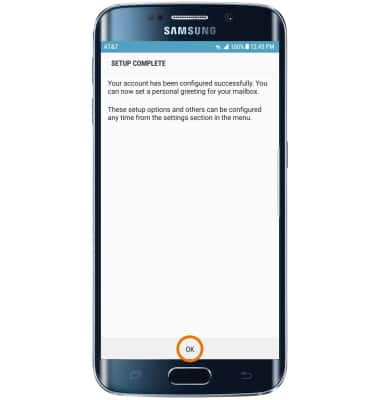
Set Up Voicemail
Samsung Galaxy S6 edge+ (G928A)
Set Up Voicemail
Set up voicemail.
INSTRUCTIONS & INFO