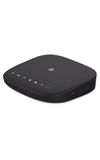
- On your computer, connect to the Wi-Fi network listed under Network Name on the back on the device.
Note: The AT&T Wireless Internet network will display as ATT-WI-[xxxx].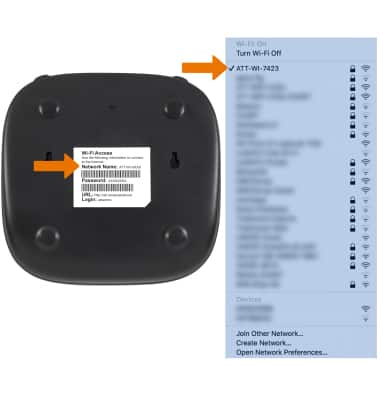
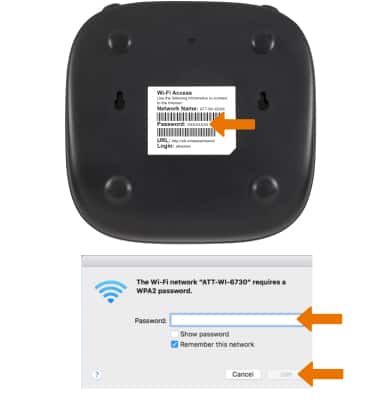
- Enter the password listed under Password on the bottom of the device, then click Join.
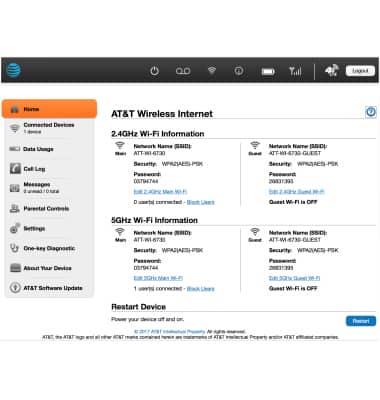
- From your device's web browser go to http://att.wirelessinternet. Enter your Admin Login, then click Login.
Note: The default admin login is attadmin. The admin login can be found on the bottom of the device.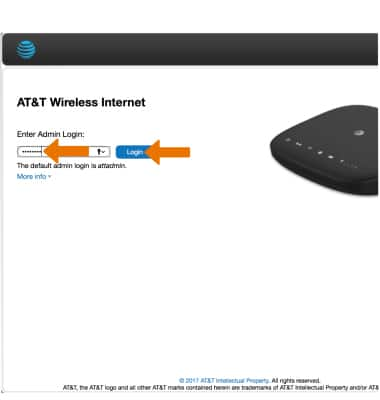
- Here you can edit wireless settings as desired.
Connect a Computer
AT&T Wireless Internet (MF279)
Connect a Computer
Connect a computer to the Router's network.
INSTRUCTIONS & INFO