Samsung Galaxy A12 Device Help & How-To Guides
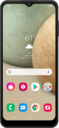
What would you like to learn about your device?
Trending Galaxy A12 topics
Turning on RCS Messaging
RCS (Rich Communication Services) is an upgraded messaging standard that enables features like read receipts, typing indicators, high-quality media sharing, and improved group chats over your network.
ExploreSetting up Voicemail
Learn how to set up Voicemail so that you can store messages from calls you missed. If your Voicemail Icon does not appear try restarting your phone.
ExploreBlocking and unblocking a contact
If you no longer want to receive text messages or phone calls from a contact, you can block their number on your device. This however does not prevent the contact from leaving voicemails.
ExploreChanging call settings
Learn how to change the call settings on your device. You may need to change the phone settings if you are roaming or if you want to turn Wi-Fi Calling on or off.
Explore