Using the Interpreter
Using the Interpreter
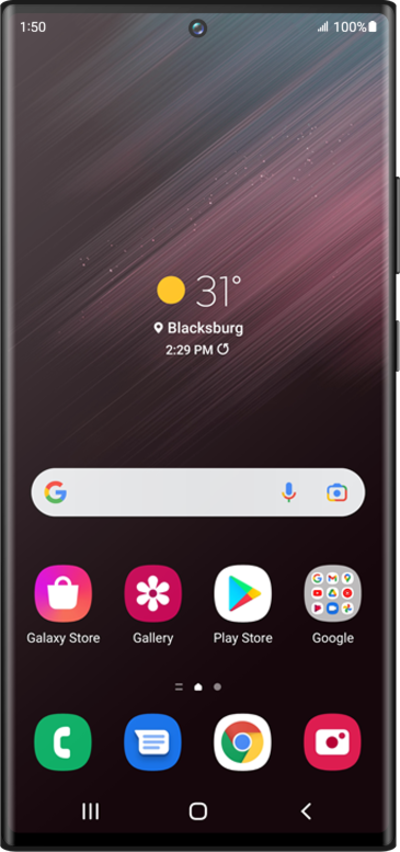
From the Home screen, drag down from the top right to open the Quick settings panel.
Pull down the application panel.
Tap the Interpreter icon.
Tap the Navigation icon.
The History icon will show you previous interpreted conversations you have had within the past 24 hours. After that time frame the conversations will be discarded.
Tap the Settings cog icon.
Tap Language packs for translation.
When the Tap to talk feature is enabled, both speakers must tap their respective microphone icons each time they speak.
When the Tap to talk feature is disabled, once the initial speaker has finished speaking after tapping the Microphone icon, the other person's microphone is automatically activated after that individual is finished speaking.
Scroll to a language pack you would like to download.
Tap the Download icon.
This may take a little time for the languages to first download so be sure to have adequate service or Wi-Fi connection.
Tap the Back button.
Scroll to and tap Voice styles.
Select a language.
Select your preferences.
You may select a voice option and the speech rate of that voice.
Tap the Back button.
Tap the Back button again.
Tap the Back button again.
On the panel opposite to you, tap the language dropdown in the bottom right corner.
Select a language.
You can also change the language you are speaking and add languages from the dropdown options.
Tap the Microphone icon.
Speak your message and it will be translated to the selected language in the other panel. The other person will then have the opportunity to respond once your message is translated.
If you are talking with a person you can also tap the Split screen icon, to the left of the clock icon, so they can read the speech dialogue box. This can help with miss communication and ease of use for the users.
You've completed the steps!
