Find IMEI, Phone & Serial Number
TAB 8 SE (9136R)
Find IMEI, Phone & Serial Number
Learn how to locate your device's IMEI, serial number, and phone number.
In this tutorial, you will learn how to:
• View IMEI and Serial number
• View Phone number
View IMEI and Serial number
- Swipe down from the Notification bar with two fingers, then select the
 Settings icon.
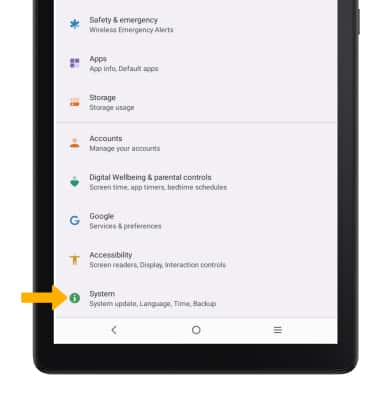
 - Scroll to and select System.
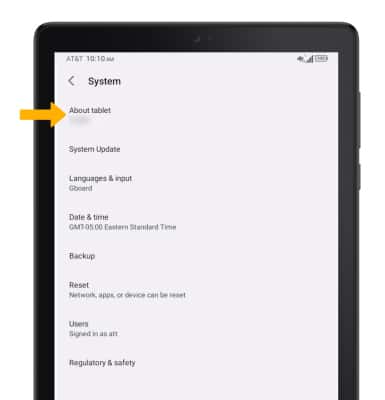
3. Select About tablet.
4. Scroll to and select Status.
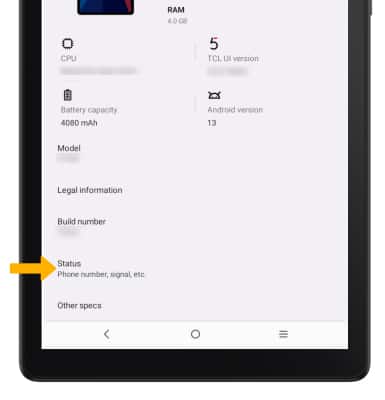
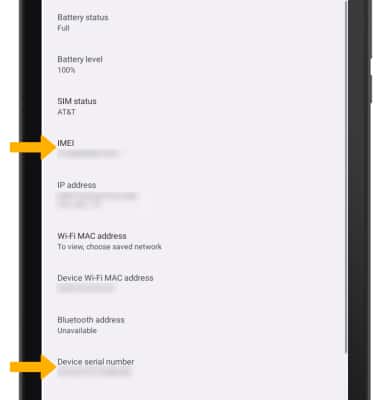
5. Here you can view the device's IMEI and Serial number. Note: You can also view your IMEI by dialing *#06#.
View Phone number
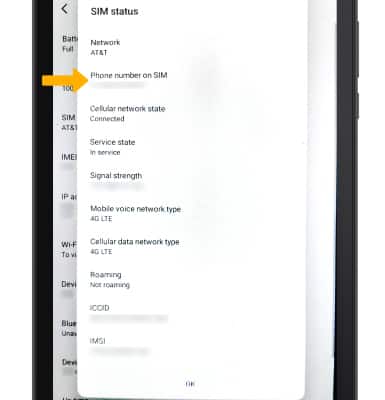
1. To view the phone number associated with the SIM, from the Status screen, select SIM status.
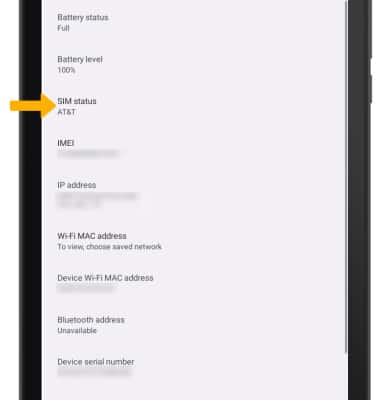
2. The phone number will be displayed.