View & Manage Data
View & Manage Data
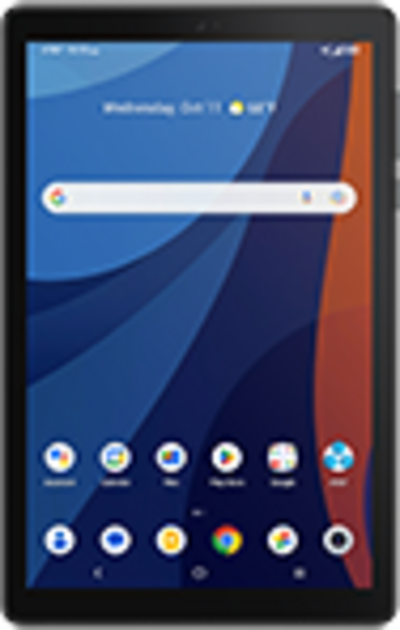
In this tutorial, you will learn how to:
• View data usage
• View data usage by app
• Change displayed billing cycle
• Set data warning or data limit
View data usage
- Swipe down from the Notification bar with two fingers, then select the
 Settings icon.
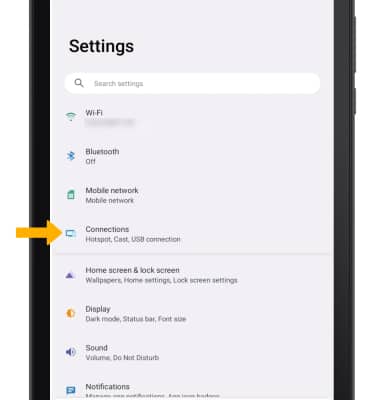
 - Select Connections.
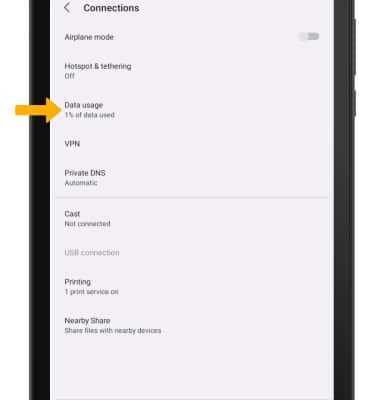
3. Select Data usage.
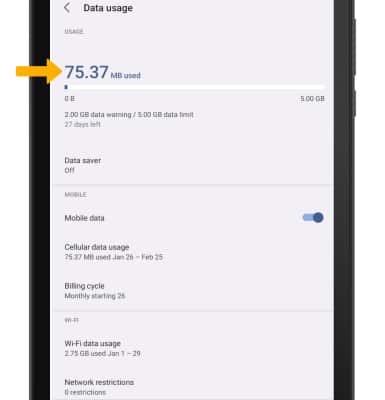
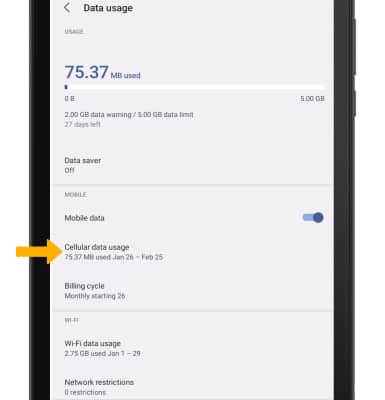
4. Cellular data usage will be displayed.
View data usage by app
1. From the Data usage screen, select Cellular data usage.
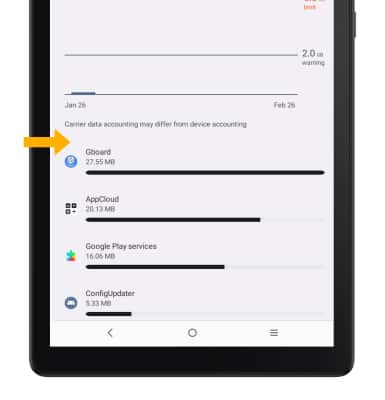
2. Data usage broken down by application will be displayed at the bottom of the Cellular data usage screen.
Note: To restrict apps from using data while running in the background, swipe down from the Notification bar with two fingers then select the Settings icon > Connections > Data usage > Data saver > Data saver switch. Your myAT&T account is also another way to manage your wireless usage.
Change displayed billing cycle
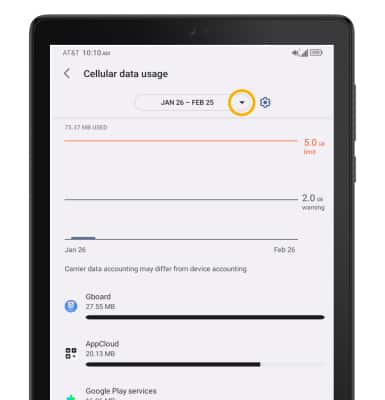
1. From the Cellular data usage screen, select the Data usage cycle drop-down icon.
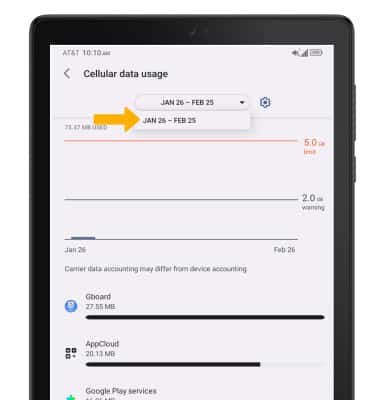
2. Select the desired billing cycle.
Set a data warning or data limit
- From the Cellular data usage screen, select the Settings icon.
- Select the desired option.
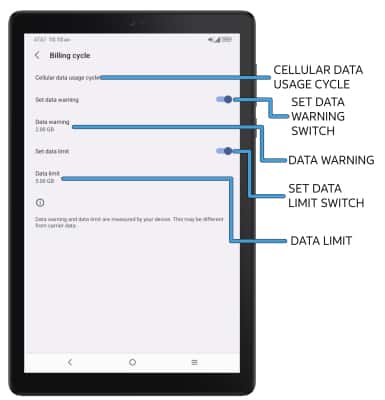
• SET BILLING CYCLE START: Select Cellular data usage cycle.
• ENABLE/DISABLE DATA WARNING: Select the Set data warning switch.
• SET DATA WARNING: When the Data warning switch is enabled, select Data warning.
• ENABLE/DISABLE DATA LIMIT: Select the Set data limit switch.
• SET DATA LIMIT: When the Data limit switch is enabled, select Data limit.
Note: When the mobile data limit is active and has been reached, the mobile data block will remain in effect until mobile data is manually re-enabled on the device, the limit threshold is changed to a higher value, or a new data usage cycle begins. If you set data usage limits on your device, they do not communicate with AT&T systems. You will still receive AT&T system generated notifications as you approach your data limits.