
Technology
Cracked phone screen: Repair options and protection tips
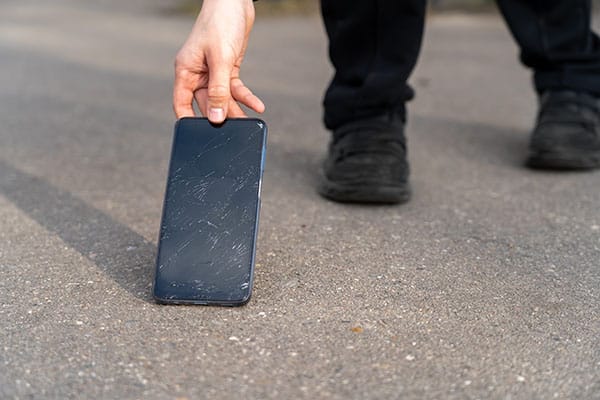
It’s your worst nightmare come true. You drop your smartphone flat on its face, and when you pick it up, you see a spider web of cracks splitting across the screen. Your first thought might be how to repair a cracked phone screen. In many cases, you may have several options available to determine whether to repair or replace your phone.
- A cracked phone screen may get worse over time, especially if you continue using the device without protection or repair.
- Screen repair costs can vary depending on your phone model, the extent of the damage, and whether you have warranty coverage or device protection.
- Do-it-yourself (DIY) screen repair may be possible for experienced users, but professional repair is usually safer if you’re not familiar with phone repair.
- Phone cases, screen protectors, and device protection plans can help reduce the risk and cost of future screen damage.
Deciding what to do about a cracked phone screen starts with assessing the damage, repair cost, device age, and your repair options.
Should you repair a cracked device screen?
Before you repair a cracked phone screen, decide whether the repair is worth the cost. That decision depends on the repair cost, your device’s age, and the extent of the damage. Before making a choice, weigh the benefits of fixing your phone against the potential costs and consider whether replacement might be a more cost-effective option.
If your phone is an older model and the screen is severely damaged, it might make more sense to replace it than repair it. You could get a new phone, or if cost is a major issue, purchase a prepaid phone, which can sometimes be less expensive than postpaid phones.
This may allow you to replace your phone without paying full retail price for a new device. The best way to determine if it’s worth repairing the screen is to have a repair shop assess the damage and provide an estimate.
Can you fix a cracked phone screen at home?
If you’re wondering if you should repair a cracked device screen yourself, it’s crucial to consider your skill level, repair costs, and access to professional repair.
If you have experience repairing cracked screens and feel up to the task, you may be able to find replacement parts and repair tools online. If you’re not experienced with phone repair, leave it to a professional. Avoid DIY repair suggestions that recommend toothpaste, baking soda, or other household items.
Will a cracked device screen get worse?
Even a small screen crack may grow and spread, especially if you continue using your phone. If the crack spreads, it may also affect touchscreen performance and make it easier for dust and water to get inside.
How much is it to get a cracked device screen professionally repaired?
The cost depends on the phone model and the extent of the screen damage and can reach up to several hundred dollars. If you have to pay out of pocket for repairs, make sure you get an estimate from the repair shop before the repair begins, and compare estimates from multiple shops, so you can decide whether to repair your phone or replace it.
How to fix a cracked phone professionally
To find reliable, professional repair, take these steps:
- Check your warranty or insurance: Confirm whether your phone is still under warranty or you have insurance that covers screen repairs. Check your phone’s warranty period, and if you have phone protection, check what it covers. Taking this first step could save you money and stress.
If you’re an AT&T customer, you can take advantage of our device protection, AT&T Protect Advantage®, if you sign up within 30 days of service activation or device upgrade. If you miss that window, you may be able to sign up during an open enrollment period.
- Research reputable repair shops: If warranty or insurance coverage doesn’t apply, look for professional repair services that are certified by your phone’s manufacturer or have strong customer reviews. Certified professionals can repair your screen correctly while reducing the risk of further damage.
- Get a repair estimate: Before proceeding, get a cost estimate from the repair shop. This can help you decide whether cracked screen repair or phone replacement is more cost-effective.
These steps can help you choose a qualified repair provider and avoid the risks of DIY repair. You can also take measures to protect your phone from possible damage.
Ways to protect your phone screen
You can help protect your phone with the right accessories and coverage. Consider these ways to reduce the risk of future screen damage:
- Get a screen protector: There are several types of screen protectors, but a tempered glass screen protector can help protect your phone from scratches and cracks.
- Get a phone case: A durable phone case can add a layer of protection if you drop your device.
- Get phone protection that covers cracked screens: A broken phone screen may make you consider whether phone insurance is worth it. Consider device protection that covers cracked screen repair, loss, theft, and battery replacement. AT&T Protect Advantage® offers phone and device protection for one or four devices.
Dealing with a cracked phone screen can be frustrating, but the right repair, replacement, and protection options can help you decide what to do next. Using a screen protector, durable case, and device protection can help reduce future repair costs. With device protection, you may also be able to extend the life of your phone.
Visit att.com for help with upgrades, trade-ins, and device protection options, or find your local AT&T store to speak with an in-store representative.
Connecting changes everything, and we’re here to help keep you connected.
Updated by Zoya Cochran on Sept 16, 2026
The new AT&T app
Related articles

Lifestyle
Online shopping safety tips
by Zoya Cochran | Feb 4, 2026
Learn how to shop online safely with secure websites, protected payment methods, and device security to help guard your personal information.

Technology
Must-have cell phone features
by Zoya Cochran | Jan 29, 2026
Explore essential cell phone features including cameras, battery life, 5G connectivity, and displays to find the right smartphone for your needs.

by Zoya Cochran | Feb 25, 2026
Learn practical steps to protect personal data on your smartphone, from password security and encryption to app permissions and backup strategies.
Want to stay in the loop?
Get the latest deals, product news, and more from AT&T.