ADDING A NEW DEVICE
Customize your accessory
Checkout
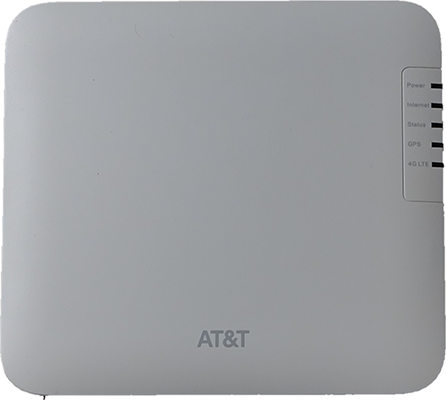
AT&T Cell Booster
$229.99
$229.99
You have 1 offers available
Earn a $200 statement credit
The AT&T Points Plus® Card lets you earn a $200 welcome bonus, AT&T bill discounts, and more. Terms apply.
Learn how
Color:Cool Grey
Cool Grey
Color: Cool Grey
Free shipping: As soon as Oct 29 to Dallas, TX 75202
Fastest shipping : As soon as Oct 27
Quantity
Overview
The AT&T Cell Booster is a mini cell tower designed to provide better indoor coverage utilizing your broadband internet. It creates a 4G LTE cell signal that results in better indoor coverage, more reliable voice calling and texting, and more consistent data speeds.
Key features
Manage with an app
Cellular coverage up to 3K sq. ft.
Supports up to 8 simultaneous users
Simple self-install process
Feature & Specs
| UPC | 607377064927 |
| SKU | 6968C |
Samsung
TCL
WARNING: Cancer and reproductive harm – www.P65Warnings.ca.gov
Overall rating
3.4
Design
3.6
Features
3.4
Performance
3.4
of 471 AT&T Cell Booster reviewers recommend this product
HIGH RATING
Rated 5 out of 5 stars with 5 reviews
5.05
6/11/2026
Works great.
Makes a big difference in our rural area.
Helpful?
LOW RATING
Rated 1 out of 5 stars with 5 reviews
1.05
10/14/2026
Cell Boaster did not work and was unable to return
Spent over 4 hours trying to return it, did not work. Went to 2 stores and on phone never able to talk to any one. I was returning it with your 14 days return policy. It said take to any At&t store. I did go to 2 stores that was recommended on you website locater and both stores would not let me return it. Said I need to go to a corporate store but no one knew where one was. Then I went online and it would not send me a return label. Tried to talk to a person but only got an AI agent. Terrible eSee more
Helpful?
Reviews
Rating snapshot
Select a row below to filter reviews
5 starsstars
615
615 reviews with 5 stars.
4 starsstars
97
97 reviews with 4 stars.
3 starsstars
48
48 reviews with 3 stars.
2 starsstars
35
35 reviews with 2 stars.
1 starstars
397
397 reviews with 1 star.
Overall Rating
3.4
271 out of 471 (58%) reviewers recommend this product
Review this Product
Select to rate the item with 1 star. This action will open submission form.
Select to rate the item with 2 stars. This action will open submission form.
Select to rate the item with 3 stars. This action will open submission form.
Select to rate the item with 4 stars. This action will open submission form.
Select to rate the item with 5 stars. This action will open submission form.
Adding a review will require a valid email for verification
Summary of Reviews
AI-generated from customer ratings & reviews, and may include incentivized reviews.
- Most customers report transformative signal gains, achieving full bars from previously unusable coverage in rural and apartment settings.
- Many experience prolonged setup processes requiring 30+ minutes to hours, window proximity, and patience through provisioning delays.
- Several find support unhelpful and uninformed, spending hours troubleshooting without resolution or meaningful assistance.
Show more
Thank you for your feedback
Your insights help us improve!
You can type a maximum of 250 characters.
0/250 maximum
- English
- German
- French
- Spanish
- Portuguese
- Italian
- Korean
- Chinese
- Japanese
- Arabic
Average customer ratings
Design
Design, 3.6 out of 53.6
Features
Features, 3.4 out of 53.4
Performance
Performance, 3.4 out of 53.4
Most helpful favorable review
5 out of 5 stars.
Working Perfect!! Thanks AT&T!
4 years ago
You need to have patience, lots of patience, when installing this product. The instructions could have been more detailed.
1>Plug in the unit (power, network & GPS) and install the app on your phone
2>Sign into the app and register the device and setup your users (aka administrators)
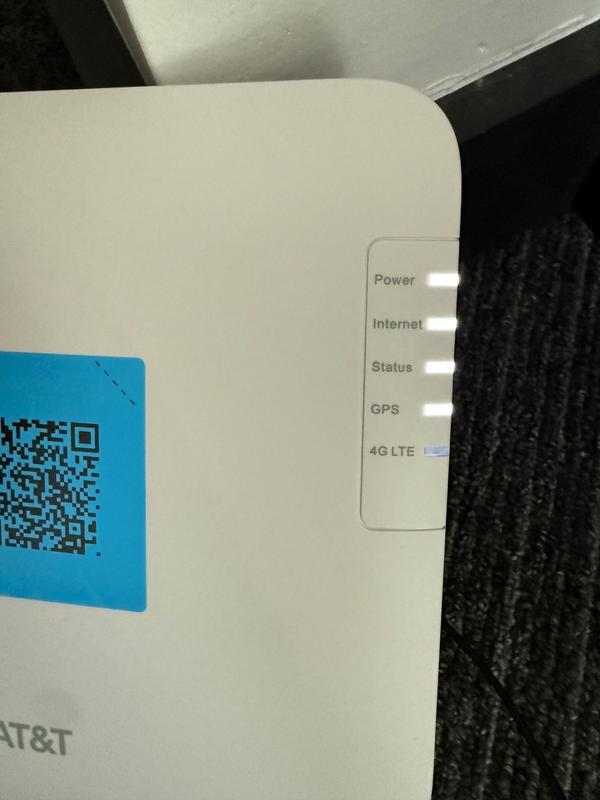
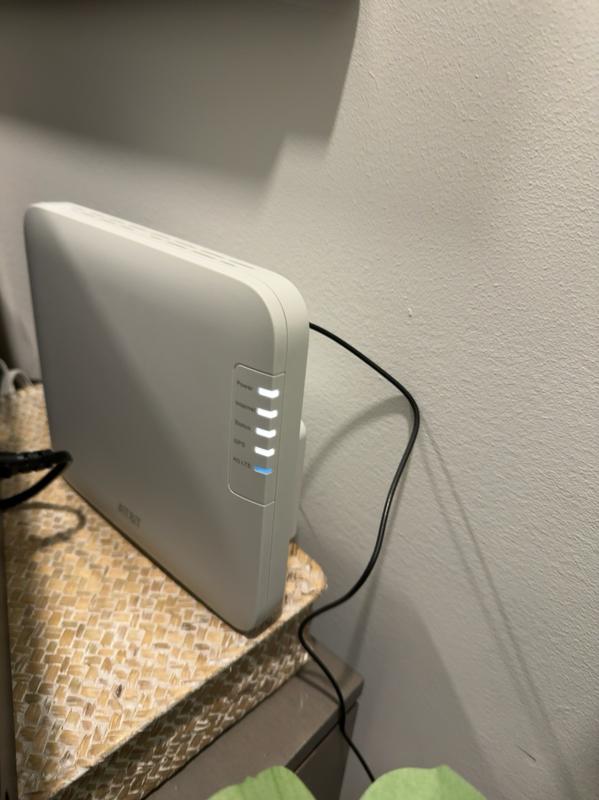
3>The device will be flashing the power light for 10-15 minutes and then after a while all of the lights will begin to flash...be patient this takes a while. After quite some time all of the lights will be solid except for the LTE light which will keep flashing.
4>You will get an email saying “Your Booster is Registered” and “We'll let you know when you can make calls.” Wait some more (30+ minutes)
5> 30+ minutes later you will receive another email and a text that says “Your Booster is working and is ready to make calls”. The LTE light will now be solid white. When you start using your phone the LTE will flash again.
I hope this helps ease the installation frustration.
180 people found this helpful
Show Reviews:
Most helpful critical review
1 out of 5 stars.
Doesn't work
4 years ago
Had to replace my 3g micro-cell (which worked amazing) to this. Haven't had good cell service in over a week at my house. Tech support is not helpful and it will take over a week before they reach out for a warranty replacement.
91 people found this helpful
Show Reviews:
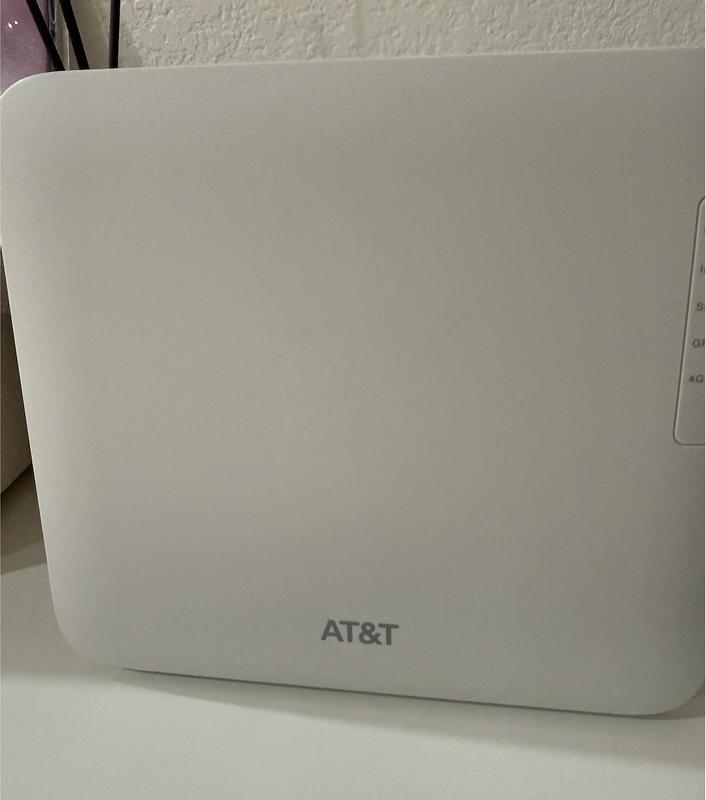
Customer Images and Videos


Filter Reviews
- purchase
- use with phone
- setup
- connections
- returns
- customer service
- satisfaction
- installation
Filters
Sort by
Most recent
1 to 4 of 1192 reviews .
1 – 4 of 1192 reviews
1 out of 5 stars.
Cell Boaster did not work and was unable to return
9 days ago
Spent over 4 hours trying to return it, did not work. Went to 2 stores and on phone never able to talk to any one. I was returning it with your 14 days return policy. It said take to any At&t store. I did go to 2 stores that was recommended on you website locater and both stores would not let me return it. Said I need to go to a corporate store but no one knew where one was. Then I went online and it would not send me a return label. Tried to talk to a person but only got an AI agent. Terrible experience.
Helpful?
Response from AT&T:
4 days ago
AT&T Care
We're sorry to hear about your experience with the AT&T Cell Booster. Please send us a direct message through your preferred social media platform. Our team is always here to help!
Connect with us on socials:
• X (Twitter): @ATTHelp
• Instagram: @att
• Facebook: AT&T
AT&T Care - Isabella
1 out of 5 stars.
Booster
11 days ago
Horrible item you guys overcharged for 250 dollars. I have horrible service att sucks. I will be leaving to a better company.
No, I do not recommend this product.
Helpful?
Design
Design, 1.0 out of 51.0
Features
Features, 1.0 out of 51.0
Performance
Performance, 1.0 out of 51.0
5 out of 5 stars.
AT&T CELL BOOSTER
12 days ago
Great piece of equipment that raised my bars from 1 or 2 to 5 bars constantly. It took about 15 minutes to install and another 75 minutes for the GPS to kick in. Sometimes local power outages kick it offline but it comes back to full strength in less than 10 minutes.
Yes, I recommend this product.
Helpful?
Design
Design, 5.0 out of 55.0
Features
Features, 5.0 out of 55.0
Performance
Performance, 5.0 out of 55.0
3 out of 5 stars.
4g Booster, Compatibility with any/all 4g bands??
14 days ago
Tech Question: WHY do the Specs on ATT Web Site specify: Compatible Products Samsung
Galaxy Z Fold5, Galaxy S24+, TCL TAB 8 SE ??
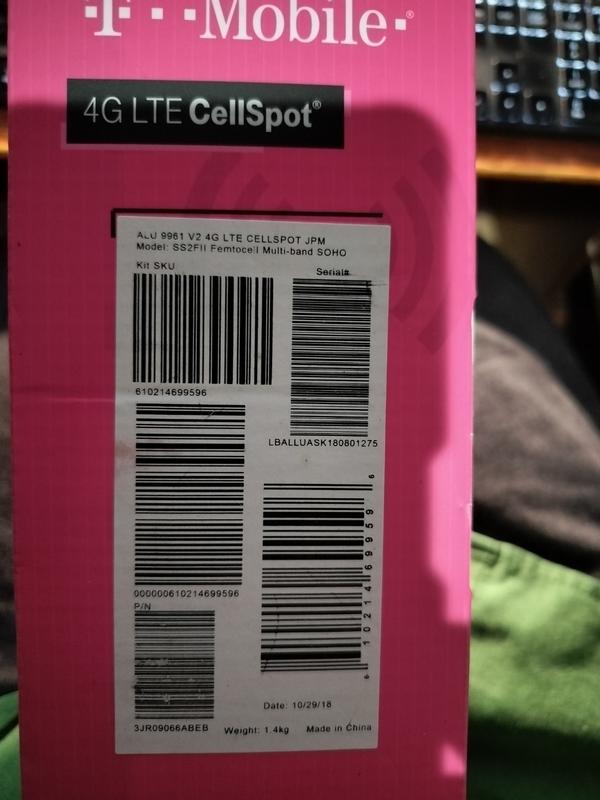
Is this because this booster requires a specific 5g band that no other phones you sell have embedded into them? I ask because I am a Long-Term Fiber 1000 client, BUT I have T-Mobile, and I do use the Cellbooster they supplied to me; it is excellent, but it does not broadcast 5g (but none that I know of do). Besides, you don't need 5g for voice calls; 4g works great! BUT my T-Mobile unit (they supply to me w/o charge) works with ANY 4g phone. I ask because I am considering dumping TMobile and taking 3 lines on ATT; however, at my home, I REQUIRE a cell booster. Every time I called ATT, the CSR's always told me that ATT doesn't have a booster. I found this device because I am shopping, and now ATT is back on the table for me to switch to because I do require (at my house) a booster. Current booster is: 4G LTE CellSpot V2 Model: SS2FII Femtocell Multi-band SOHO
Yes, I recommend this product.
Helpful?
1 – 4 of 1192 reviews
Questions
Have a question? Ask people who own it.
Start typing your question and we'll check if it was already asked and answered.
1 - 10 of 491 questions
Sort by
Featured questions first
Q: Does this have an antenna
8 days ago1 Answer
- A: Yes, the AT&T Cell Booster comes with a detachable, external GPS antenna cable in the box. The device needs a solid GPS connection for emergency E911 services and network timing. You will just need to plug the included antenna into the back of the booster and place the receiver piece on a nearby window. Alternatively, if you don't use the antenna cable, you can place the booster unit itself within 3 feet of a window. Please send us a direct message on social media if you need any help with setting up your booster! - X (Twitter) at @ATTHelp, Facebook at AT&T or Instagram at @att AT&T CARE - Kevin5 days agoHelpful?
Q: Are AT&T Business accounts eligible to purchase standard AT&T Cell Boosters? Are business accounts restricted to the Cell Booster Pro, or are standard AT&T Cell Boosters also compatible and available for purchase on business accounts?
16 days ago1 Answer
- A: Thanks for sharing your concern with us! You're exactly right, the AT&T Cell Booster and the AT&T Cell Booster Pro are available for both standard and business accounts. However, to qualify for a cell booster, we need to confirm an in-home coverage gap and run through a quick troubleshooting process with you. To get started, please share your account details securely through our AT&T Secure Support Form: http://sm.att.com/6798101d For immediate, one-on-one help, feel free to DM us on our official support channels: ✅ X (Twitter): @ATTHelp ✅ Instagram: @att ✅ Facebook: AT&T Thank you for choosing AT&T! AT&T CARE - Pablo10 days agoHelpful?
Q: Installation
16 days ago1 Answer
- A: We want to make getting your AT&T Cell Booster up and running as simple as possible! To set up the AT&T Cell Booster, just plug it into your home internet router, but make sure to run the included external GPS antenna cable over to a nearby window, so it can lock onto a satellite signal for emergency E911 services. Once everything is plugged in and registered in the app, it can take 60 to 90 minutes for the lights to stop blinking and turn solid white, meaning your indoor cell signal is live. If the lights stay orange or keep flashing after a couple of hours, just unplug the power cord for a few seconds and plug it back in to give it a quick reboot. If you need our help, you can contact us through any of our support channels, and we will be happy to assist you. - X (Twitter) at @ATTHelp, Facebook at AT&T or Instagram at @att AT&T CARE - Kevin9 days agoHelpful?
Q: Are business accounts excluded from being able to buy cell boosters? I order online and they cancel my order, in store they said to call customer service, customer service says they will only sell me the cell booster pro for an additional $35/month.
18 days ago1 Answer
- A: Thanks for reaching out! The AT&T Cell Booster is available for both residential and business accounts. To qualify for a booster, our dedicated team needs to confirm an in-home coverage gap and run through a quick troubleshooting process with you. Please share your account details securely, so we can check your coverage and help: http://sm.att.com/48c6067d For immediate, one-on-one help, feel free to DM us on our official support channels: ✅ X (Twitter): @ATTHelp ✅ Instagram: @att ✅ Facebook: AT&T Thank you for choosing AT&T! AT&T CARE - Pablo10 days agoHelpful?
Q: We get terrible wireless reception at home. We RELY on wi-fi calling to use our phones. During an internet outage we can't make any calls. Incase of another outage, if this device relies on wi-fi, how does this device help? AT&T recommends knowing issues
27 days ago1 Answer
- A: Thank you for reaching out with your question about the AT&T Cell Booster. We want to clarify that this device actually creates a mini 4G LTE cellular tower inside your home, meaning your phones connect directly to a cellular signal rather than relying on your home's Wi-Fi network. However, because the booster itself must plug directly into your home internet router to transmit those calls, it does require a live internet connection to function and would not be able to process calls during a full home internet outage. For more information related to this device, you can click on the link below or simply contact us through our online channels for more information. 📱 X (Twitter) at @ATTHelp, Facebook at AT&T or Instagram at @att 🔗 http://sm.att.com/c1138321 AT&T CARE - Kevin25 days agoHelpful?
Q: I will be using a NETGEAR hotspot for my service but the interior location has a weak signal. Can I use this booster mounted on the exterior of my building o increase the signal to my NETGEAR hotspot inside the building?
28 days ago1 Answer
- A: Thank you for reaching out with your question. We want to clarify that the AT&T Cell Booster cannot be mounted on the exterior of your building, nor will it work to pull in an outside wireless signal for your NETGEAR hotspot. The AT&T Cell Booster is an indoor-only device designed to function as a mini cell tower. It actually requires a wired broadband internet connection (connected via Ethernet cable to a router) to create an indoor 4G LTE/5G cellular signal—it does not repeat or boost an existing outdoor wireless signal. If you want tailored assistance with further questions related to AT&T services, please feel free to contact us through any of our social media channels below. 📱 X (Twitter) at @ATTHelp, Facebook at AT&T or Instagram at @att 📞 800‑331‑0500 (or dial 611 from your AT&T phone) AT&T CARE - Kevin24 days agoHelpful?
Q: My router is in an interior closet and doesn’t have an exterior window close to it for the antenna. What should I do?
Anonymous29 days ago1 Answer
- A: Thanks for reaching out, Johnny! To clarify, your new AT&T Cell Booster needs a solid GPS lock to function properly. You can set this up in two ways: With the GPS antenna: Connect the included antenna to the back of the booster and stick the receiver piece directly onto a window pane. Without the antenna: Simply place the booster unit itself within 3 feet of a window that has a clear, unobstructed view of the sky. For more details, please review our AT&T Device Support Portal on: http://sm.att.com/bf9947e6 If you ever need immediate assistance with your AT&T service, please DM us on our fastest support channels: ✅X (Twitter): @ATTHelp ✅Instagram: @att ✅Facebook: AT&T Thank you for choosing AT&T! AT&T Care - Pablo25 days agoHelpful?
Q: Is there a Military discount on the Cell Phone Booster?
a month ago1 Answer
- A: Thank you for reaching out with your question! While we offer an AT&T Military Appreciation Discount of up to 20% off our monthly wireless plans, it does not apply directly to equipment purchases like the AT&T Cell Booster. However, please note that the Cell Booster is a one-time equipment purchase with no monthly recurring fees to use it. We would love to check your account details to see if there are any other promotional credits or account-specific offers available to help lower the upfront cost for you. Please reach out to us through our social media channels below, and we will be happy to look into your options and assist you further! 📱 X (Twitter) at @ATTHelp, Facebook at AT&T or Instagram at @att 📞 800‑331‑0500 (or dial 611 from your AT&T phone) AT&T CARE - Kevin30 days agoHelpful?
Q: Can install 2 separate devices in the same building for more coverage? Either on the same account or 2 separate accounts if needed?
Anonymousa month ago1 Answer
- A: Jeff, thank you for making this question. Yes, you can absolutely register and use multiple AT&T Cell Boosters in the same building to increase coverage! You can link them to the same AT&T account or use separate accounts if preferred. The most critical rule for installation is to keep the separate booster devices at least 50 feet apart. If they are placed too close together, their signals will conflict and cause dropped calls or interference issues. If you need installation guidance, or simply have more questions, you can reach out to us via social media for a faster response. 📱 X (Twitter) at @ATTHelp, Facebook at AT&T or Instagram at @att 📞 800‑331‑0500 (or dial 611 from your AT&T phone)a month agoHelpful?
Q: Will any AT&T cell phone automatically connect to and use the booster when I enter the building?
Anonymousa month ago1 Answer
- A: Hi there, yes! Any compatible cell phone will automatically connect to the AT&T Cell Booster as soon as it is within range. You don't have to manage a user list or manually connect each device. The standard AT&T Cell Booster supports up to 8 simultaneous user sessions at once. If you ever have trouble connecting, a quick toggle of Airplane Mode usually does the trick, however if you face consistent connectivity issues afterwards, please contact us through one of our support channels below so we can take a closer look. 📱 X (Twitter) at @ATTHelp, Facebook at AT&T or Instagram at @att 📞 800‑331‑0500 (or dial 611 from your AT&T phone)a month agoHelpful?
1 - 10 of 491 questions
$229.99
Today