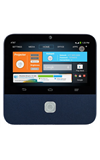
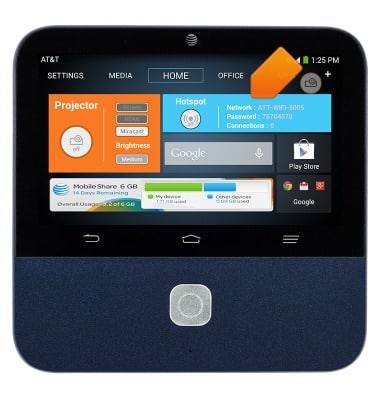
- From the home screen, tap the Hotspot widget.
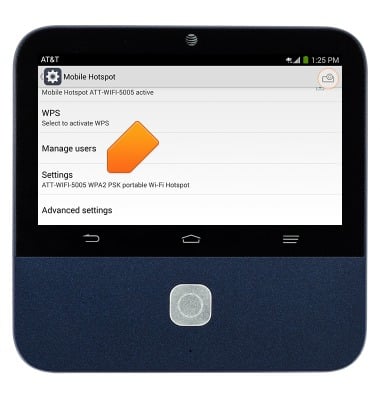
- Tap Settings.
- Scroll to, then tap Wi-Fi band.
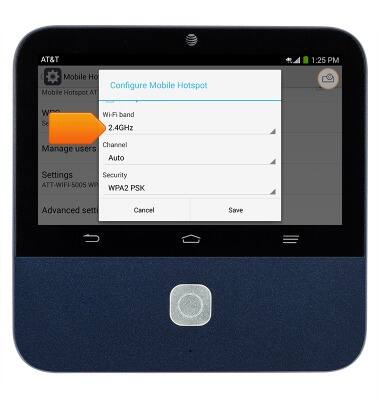
- Tap the desired band.
Note: 2.4 GHz uses less power and is longer ranged than 5 GHz, but 5 GHz can provide higher speeds with less interference. Connected devices must support the selected Wi-Fi band to be able to successfully connect to the hotspot Wi-Fi.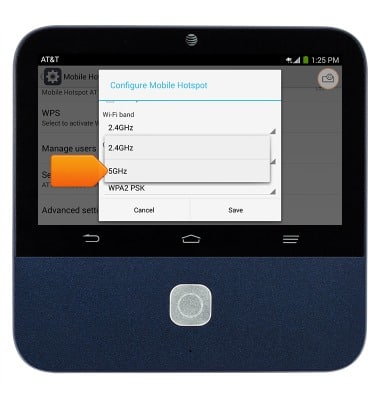
Dual band Wi-Fi
ZTE Spro 2 Smart Projector (MF97B)
Dual band Wi-Fi
Learn how to use the Dual-Band Wi-Fi feature.
INSTRUCTIONS & INFO