- Before setting up an Exchange email account, you will need your account's server settings. If you don't know this information, please contact your IT team or email provider for assistance.
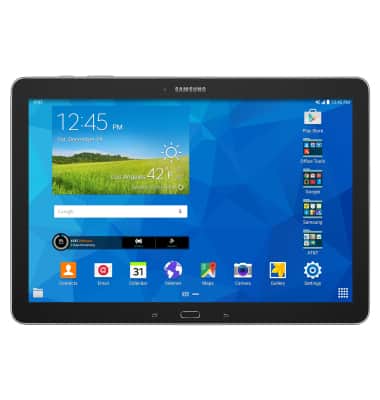
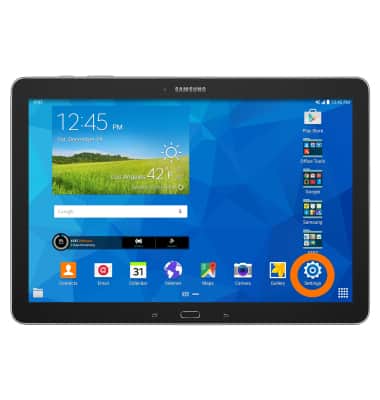
- From the home screen, tap the Settings icon.
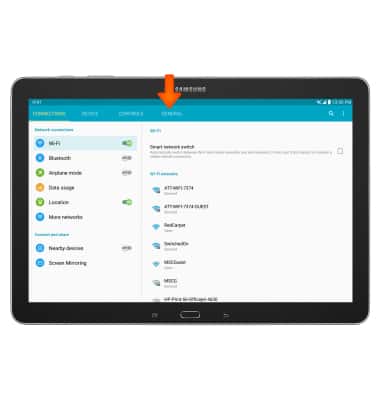
- Tap the General tab.
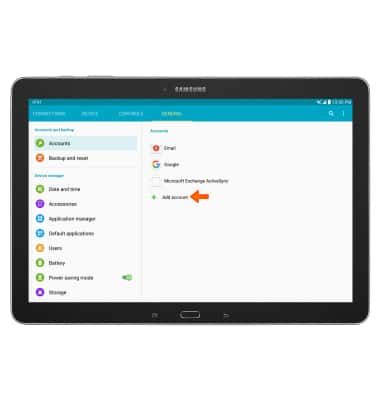
- Under Accounts, tap Add account.
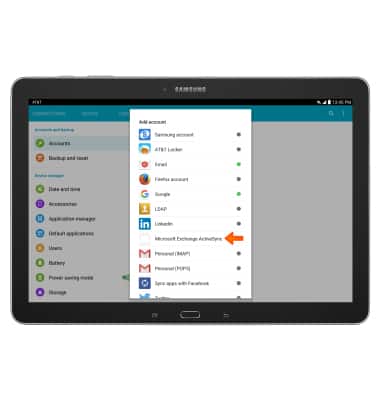
- Tap Microsoft Exchange ActiveSync.
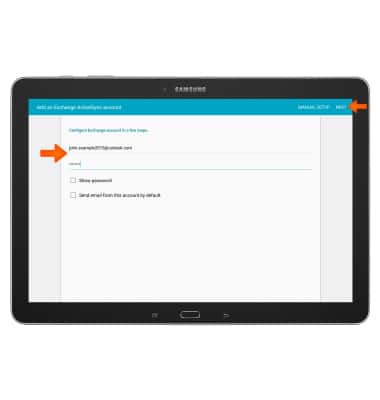
- Enter your Email address and password, then tap NEXT.
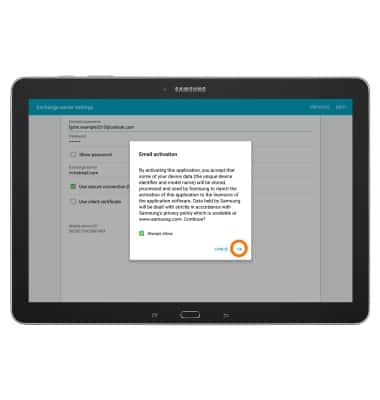
- Tap OK.
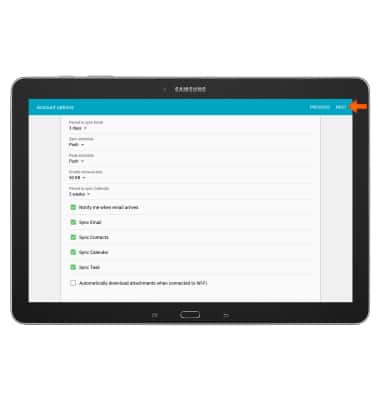
- Adjust Account options, and then tap NEXT.
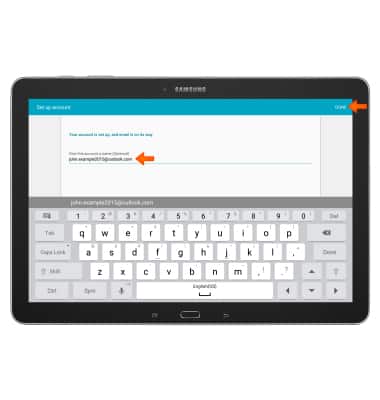
- Edit your Account name, and then tap DONE.
Set up corporate email
Samsung Galaxy Note Pro 12.2 (P907A)
Set up corporate email
Add your Exchange email account to sync email, contacts, calendar, and notes to your device.
INSTRUCTIONS & INFO