- To access the email settings screen, from the home screen, select the Email icon.
Note: Email will have to be enabled if it has not been previously set up.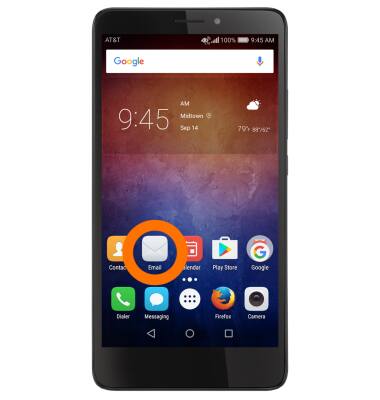
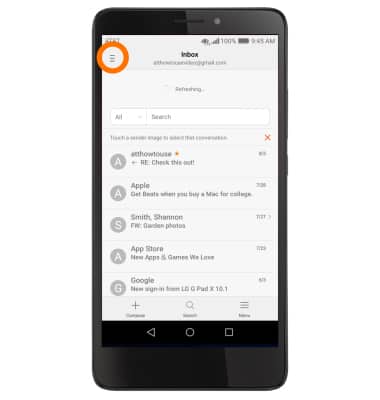
- Select the Menu icon.
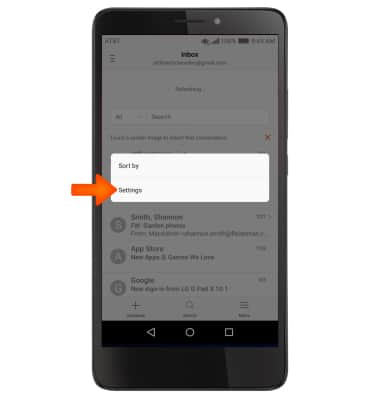
- Select Settings.
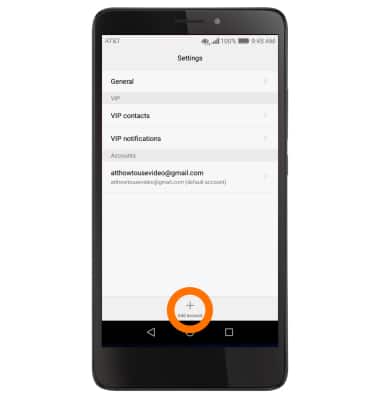
- To add additional email accounts, select Add account.
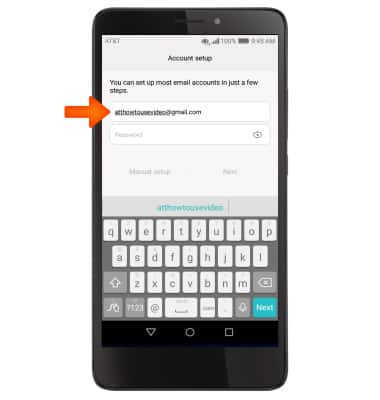
- Enter the Desired email address, and follow the prompts.
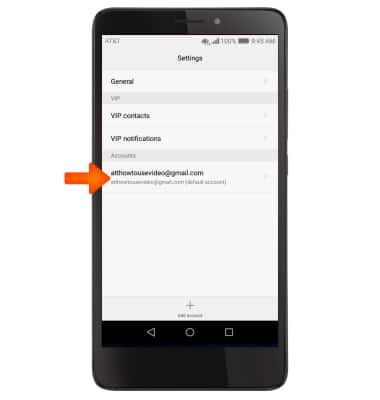
- To delete an email account, select the desired account.
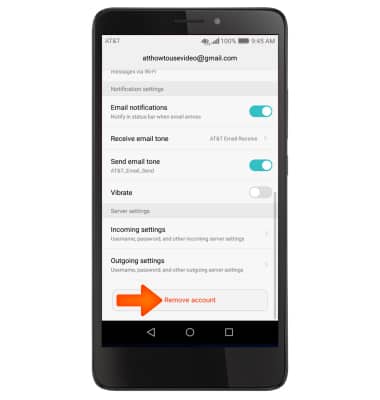
- Scroll to and select Remove account.
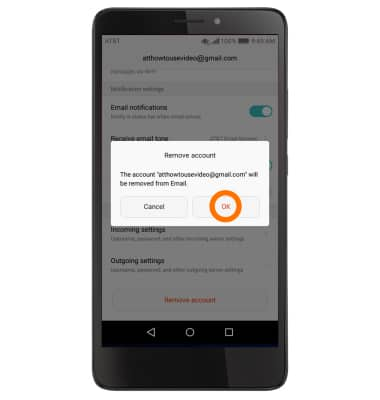
- Select OK.
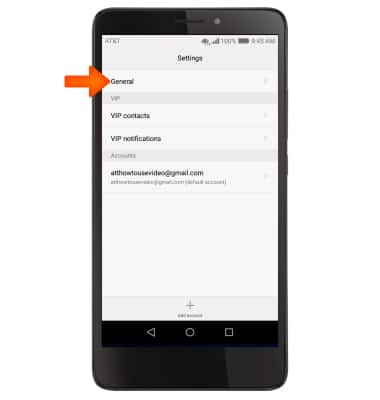
- To access general settings, select General, and adjust Settings as desired.
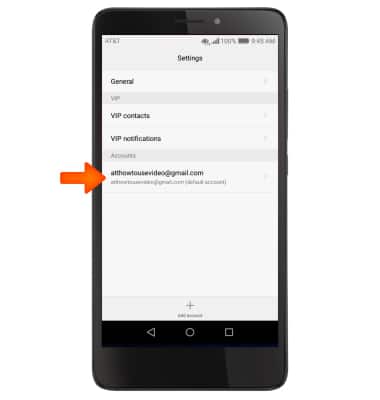
- To change settings specific to an account, select the Desired account.
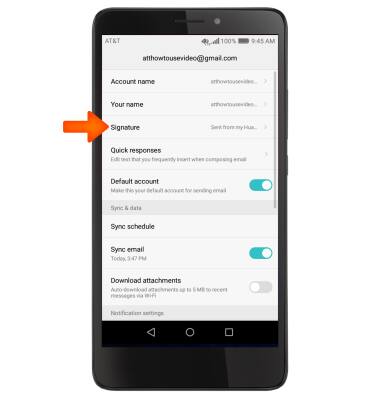
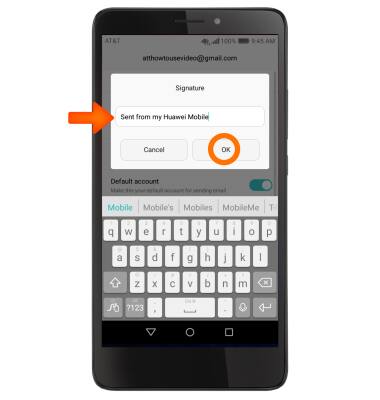
- To change your email signature, select Signature.
- Make your changes, then select OK.
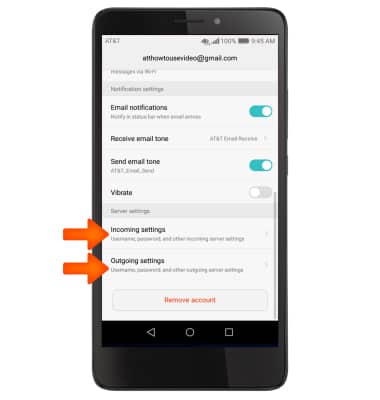
- To change email account incoming and outgoing server settings, scroll to and select the Incoming settings or Outgoing settings to adjust as desired.
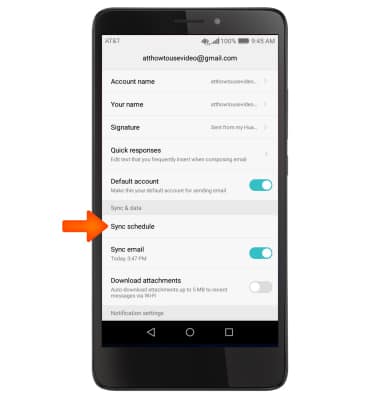
- To edit email sync frequency, scroll to and select Sync schedule and adjust as desired.
Email Settings
Huawei Ascend XT (H1611)
Email Settings
Manage email settings such as sync frequency, server settings, signature, deleting an email account, and more.
INSTRUCTIONS & INFO