Using the toolbar and controls on your iPhone Duo
iPhone Duo
Using the toolbar and controls on your iPhone Duo
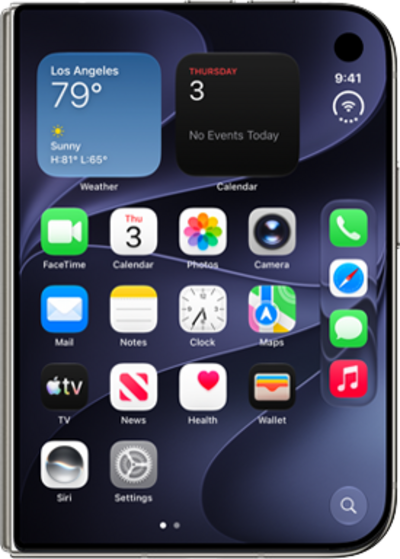
This tutorial walks you through the toolbar and controls on your iPhone Duo. This guide shows you how to find and use the on-screen toolbar, access common controls, and navigate the interface whether your device is open or folded.
1.
On iPhone Duo, the menus and toolbars of your apps will snap to the right of your screen for ease of use.
2.
When you open the device to Landscape view, icons stay in place to keep your flow uninterrupted.
3.
The Status Bar icon dynamically consolidates your battery level, Wi-Fi and Cellular strength, and more into a single easy-to-read display.
You can tap the Status Bar from any screen to access the Control Center.
4.
When apps are opened in Split View, their icons will mirror to the left side instead, while the Status Bar remains in place.
5.
You've completed the steps!
