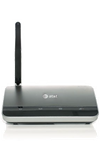
Device help
Get step-by-step help and info for your device.Not what you're looking for? Try using a different search term.
Make sure to:
- Check your spelling
- Use specific or similar keywords.
- Try a more general search
Here's all the info we found about "dynSearchText1".
We didn't find any info about "dynSearchText2". Try using a different search term.
This article explains how to properly insert and install your device's back-up battery.
This article explains why no caller ID name is displayed with the number.
Get familiar with calling features.
This article describes how to activate or deactivate call forwarding.
Activate or deactivate the call waiting feature.
Make a call by directly dialing a number.
This article describes how to access TTY support with your device.
This article describes how to initiate or cancel a three-way call.
Use Call Waiting or 3-Way Calling
This article describes how to answer a call while on another call and how to make a three person conference call.
Verify a strong wireless signal is being received by your device.
This article describes how to connect your device to a 3G MicroCell.
Flashing Red Signal Strength LED
This article explains what to do if the signal strength LED is flashing red.
These items are in the box with your new AT&T Wireless Home Phone.
Raise or lower call volume.
Learn How to Clean Your Device
Get tips on the best way to keep your device clean.
This article explains what to do if the back-up battery's LED is off.
This article describes how to turn the device on or off.
This article describes how to connect existing phones to the AT&T Wireless Home Phone.
Make a test call to confirm proper set up.
This article describes how to connect your device to a power source.
Learn how to determine if you might have harmful software (malware) on your device and get tips to help fix the issue.
My Answering Machine Won't Pick Up Calls
This article explains what to do if your answering machine won't answer calls.
Only The Power LED Is Illuminated
This article explains what to do if only the power LED is illuminated.
This article explains what to do if the signal strength LED is red.
Signal Strength Indicator Is Blinking Green
This article explains why the signal strength indicator is blinking green.
This article explains what to do when no dial tone can be heard.
I Can't Connect To My 3G MicroCell
This article explains what to do if you cannot connect to your 3G Microcell.
My Phone Doesn't Ring When A Call Comes In
This article explains what to do if your phone doesn't ring when there's an incoming call.
This article explains what to do if you're experiencing poor voice quality with your device.
SIM Card Doesn't Work In My Mobile Device
This article explains why your SIM card doesn't work in your mobile device.
A detailed description of your device's warranty, including contact information for further inquiries.
Set up is simple via guided prompts and there are many options for security, greetings and access. Voicemail is included with yourservice and is free of charge.
Set up Voicemail or Answering Machine
Connect your device to a home answering machine to record voicemails.