Guide to Wireless Chargers | AT&T
Guide to wireless chargers
What is wireless charging?
Wireless charging is a handy technology that lets you power your devices without plugging in cables. Instead of using power cords, you simply place your device on a wireless charger, and it begins charging right away.
So, what is a wireless charger? It’s a smart charging pad that uses electromagnetic fields to transfer energy without any physical connection. Just set your phone or gadget on the charger, and it powers up automatically. This cable-free method reduces clutter and makes charging easy and neat.
Wireless chargers come in many shapes. Some are simple round pads, others are stands that hold your phone upright, and some can charge multiple devices, like your phone, earbuds, and smartwatch, all at the same time. You can even find wireless charging stations in public places, so you can keep your devices charged on the go without carrying extra cables.
Here’s how wireless charging works: it uses a process called inductive charging, which involves two wire coils, one inside the charger and one inside your device. When the charger is plugged into power, it creates an electromagnetic field. When you place your device on the charger, the coil inside your device picks up this energy and turns it into electricity to charge your battery.
Most wireless chargers follow the Qi (pronounced “Chee”) standard. This ensures they work safely and reliably with many different devices.
Many popular smartphones support wireless charging today. This includes Apple’s iPhone 8 and newer, Samsung Galaxy S10 and Note 10 series, and Google Pixel 3 and 4. If your phone doesn’t support wireless charging on its own, you can add this feature using special wireless charging receivers or cases.
Types of Wireless Charging Technology
Many devices we use daily, like smartphones, smartwatches, and earbuds, support wireless charging. But there are different types of wireless charging standards. The two main ones are Qi and Powermat, with Qi being the most common.
Qi wireless charging is the most widely used standard today. Most modern smartphones and accessories, except the Apple Watch, support Qi charging. It uses a charging pad that creates an electromagnetic field. This field powers the coil inside your device, charging its battery. Qi works within a frequency range of 110-205 kHz and charges devices up to 4 centimeters away. It supports both wired and wireless charging, so you can use the same charger for fast wired charging or wireless charging. Qi chargers come in different power levels: 5W, 7.5W,10W, and 15W. Higher wattage means faster charging, but the speed also depends on your device and battery size.
Powermat (PMA) was another wireless charging standard used by some public places like Starbucks and McDonald’s. It works similarly to Qi but uses a different frequency (277-357 kHz) and supports charging up to 5 centimeters away.
The problem with Powermat was that it wasn’t compatible with Qi chargers. Devices that supported Powermat couldn’t use Qi chargers, and vice versa. Over time, Qi became the dominant standard, and Powermat mostly disappeared from consumer use. Today, Powermat focuses on industrial uses.
In 2015, Qi and Powermat joined forces under the AirFuel Alliance to unify wireless charging standards. But by 2017, Apple chose to support Qi for iPhone wireless charging, making Qi the clear winner. Many modern chargers now support both Qi and Powermat to ensure compatibility with older devices.
Magnetic fast charging is a wireless method that uses the same principles but boosts charging speed by increasing voltage or current. This helps wireless charging get closer to the speed of wired charging.
Not all devices or chargers support fast wireless charging. Some use standards like Quick Charge, USB Power Delivery, or special methods.
To find a fast wireless charger, check the wattage rating on the product. Numbers like 10W, 15W, or 20W mean the charger can deliver higher power and charge your device faster.
What are the pros and cons of wireless charging?
Wireless charging offers numerous benefits but also has some drawbacks. Weighing the pros and cons can help you decide if wireless charging is the right choice for you and your devices.
First, let's review the pros of wireless charging:
- Convenience: Wireless chargers save you the need to plug and unplug your device, so all you need to do is simply place it on the charging pad to charge.
-
Universal compatibility: Most wireless chargers use the Qi standard, ensuring compatibility with a wide range of devices, including smartphones, tablets, and smartwatches from various manufacturers.
-
Reduced wear and tear: Without a physical connection using USB-C and USB-A cables and wall chargers, the charging port has less wear and tear, potentially increasing your device's lifespan.
-
Clutter-free space: Wireless chargers help reduce cable clutter, providing a neater and more organized environment.
-
Increased safety: Many wireless chargers have built-in safety features, such as overheating protection and short-circuit prevention, for a safe charging experience.
Now, let's review some of the cons of wireless charging:
- Slow and inefficient charging: Wireless charging is generally slower and less energy-efficient than wired charging due to power loss during the charging process, especially compared to fast-charging technologies.
-
Limited mobility: While your device is charging wirelessly, you can't move it around as freely as possible with a cable, which isn't ideal if you want to use your phone while charging.
-
Device incompatibility: Not all devices support wireless charging, so remember to check compatibility before investing in a wireless charger.
-
Additional costs: Wireless chargers are usually more expensive than traditional chargers. If your device doesn't natively support wireless charging, you may need to purchase a compatible case too.
What is the best wireless charger and wireless car charger?
The market is flooded with wireless chargers, some of better quality and others less. A good quality Qi charger has over-voltage and overcharge protection, making it safe to use. We recommend researching the market and choosing chargers of good quality from reliable manufacturers. Low-quality wireless chargers offer slow charging speeds and pose several risks to your devices and your safety.
What to consider when choosing a wireless charger:
- The type of charger you need: The most common wireless chargers in the market now are pads, stands, portable chargers, and car chargers. A pad is ideal for placing on a nightstand, while a stand is perfect for a work desk. The portable option is best for those people who are always on the go, and the car charger is best for those who spend many hours on the road.
-
The charging speed you want: First-party chargers offer the fastest charging speeds. Some third-party chargers also offer fast charging capabilities, but that's mainly for flagship devices.
-
The number of wireless devices you want to charge: For those of you with multiple wireless devices other than smartphones, such as earbuds and a smartwatch, purchasing a dual or trio charging pad may be more convenient for charging your different devices even simultaneously.
-
Read the reviews: Read through user-submitted reviews. Keep in mind that some can be paid or sponsored. Also, ensure the reviews match the product you're looking at.
-
Check the return policy: Familiarize yourself with the product's return policy. Some devices offer a limited return window; others only offer a limited time to get a replacement and don't offer any refunds.
There are several wireless charger manufacturers. Belkin, for example, is one of the pioneer brands. Aside from Belkin, Samsung has its own wireless chargers with fast charging capabilities.
To help you choose the perfect charging solution for your needs, we've created a list of some of the top wireless chargers and wireless car chargers available on the market.
Best wireless chargers:
-
AT&T 15W Magnetic Charging Pad: This wireless charging pad is the ideal companion for your Apple devices, including the iPhone 12 series and newer, iPhone SE 3rd Gen, iPad Air 5th Gen, iPad 9th Gen, Apple Watch SE 2nd Gen (2022) 40mm or the 44mm Watch version. It offers top-notch charging efficiency for devices compatible with MagSafe, while its incorporated magnets maintain your device's alignment on the pad, thus accelerating and regularizing the charging process. Plus, its advanced safety mechanisms protect your phone from overheating, guaranteeing complete safety for both you and your devices.
-
AT&T 15W Wireless Charging Pad: This compact wireless charger powers up your Qi-enabled devices at a speed that's up to 40% faster than other standard wireless chargers (up to 15W on select devices). Its sleek design does away with the need for cumbersome wires and allows for charging even with your phone case on (also with official MagSafe cases), ensuring convenience without compromise. The package comes with a charging pad and a USB C cable included.
-
OtterBox 3 in 1 Charging Station: This cutting-edge 3-in-1 MagSafe standing wireless charging station efficiently energizes all your Apple devices in a single, elegant, and compact stand. Simply attach your iPhone to the wireless charging stand and position your AirPods case at the base. The stand also charges your Apple Watch, establishing itself as an all-inclusive solution for your Apple gadget needs. With a 15W MFi-Certified MagSafe module ensuring a speedy charging process, it's an ideal choice for both home and office environments.
-
AT&T 15W Premium Wireless Charging Pad: This wireless charger energizes all your Qi-enabled devices up to 40% quicker than many conventional wireless chargers. Its soft pad surface promotes a dependable and steady charge each time. You can simply position your device on the stand, either in portrait or landscape orientation, without the need to take off your case. The package includes a USB-C wall charger and a USB-C to USB-C cable.
-
Belkin Magnetic Wireless Car Vent Mount with MagSafe: In terms of the best wireless car charger, this simple and easy-to-use device is a strong runner-up. It features the MagSafe, ensuring it's compatible with iPhone and Android devices such as Samsung, Google, and Motorola. The MagSafe allows you to place and remove your phone with one hand. It safely attaches to the vent and delivers up to 10W of charging power. It can easily be oriented to allow your phone a portrait or landscape view. The box includes a 3.9-foot/1.2-meter detachable USB-C cable but you should also be aware that it doesn't come with a 20W USB-C PD 3.0 car power supply.
Are wireless chargers compatible with all cell phones and devices?
Wireless chargers aren't universally compatible with all cell phones and devices. Yet, most modern smartphones and devices that support wireless charging use the Qi (pronounced "chee") standard, allowing them to be compatible with a wide range of wireless chargers.
To determine if your device is compatible with wireless charging, you should:
-
Check your device's specifications or user manual to see if it supports wireless charging.
-
Look for the Qi logo on your device or its packaging, which indicates compatibility with the Qi standard.
-
Visit the manufacturer's website for more information on your device's charging capabilities.
If your device doesn't natively support wireless charging, you may be able to purchase a compatible case or adapter that adds this functionality. Always ensure that any accessories you buy are compatible with your specific device model and adhere to safety standards.
How do I enable wireless charging on my cell phone or device?
How to use a wireless charger:
- Check compatibility: First, ensure that your device supports wireless charging. Refer to your device's user manual or specifications, look for the Qi logo, or visit the manufacturer's website for more information. Some wireless chargers work differently from the typical charging pad—especially for travel convenience. Certain models attach directly to the back of your device using magnets or adhesive, allowing you to charge wirelessly on the go without bulky accessories or exact alignment. These portable chargers use the same Qi technology but offer more flexibility, making it easy to stay powered whether you’re at your desk or out and about. When choosing a wireless charger, think about how and where you’ll use it to find the best fit for your lifestyle.
- Position the device: Before charging, remove phone cases that are thicker than 3-5 mm or made of metal, as they can disrupt the charging process. If you prefer to keep your case on, make sure it is thin and Qi-compatible. To charge your device, it’s important to line up its charging coil with the charger’s coil. Just place your device carefully on the wireless charging pad or stand, making sure they’re properly aligned. Some chargers work best when your phone lies flat, while others let you tilt it a bit. Many chargers have marks or lights to help you find the right spot. If your device has a case, check that it supports wireless charging and isn’t too thick, so it doesn’t block the charge. For the best results, follow any tips or demos from the charger’s instructions.
- Power up: Connect the wireless charger to a power source using the provided cable and adapter. Ensure the charger is plugged into a wall outlet or other suitable power source.
- Begin charging: Once your device is correctly positioned on the charger, it should automatically begin charging. You may see a charging icon or notification on your device's screen, or the charger may have an LED indicator to confirm that charging has started.
More articles and information
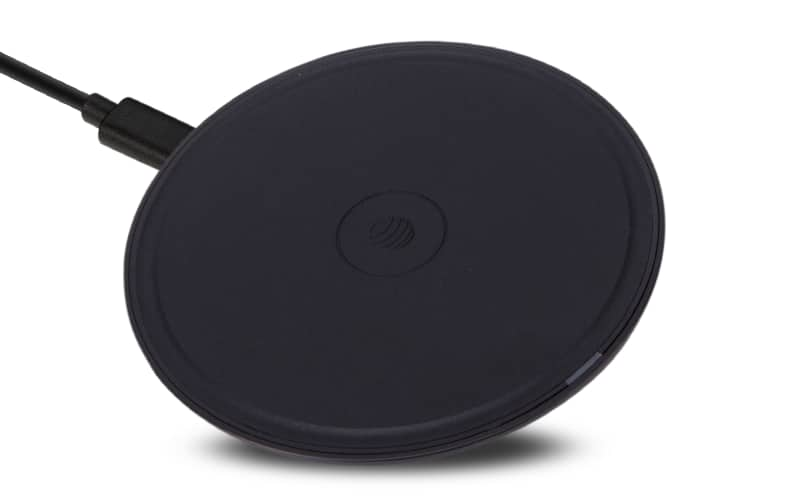
Shop wireless chargers
Looking for the best wireless charger for your cell phone or device? Browse options.
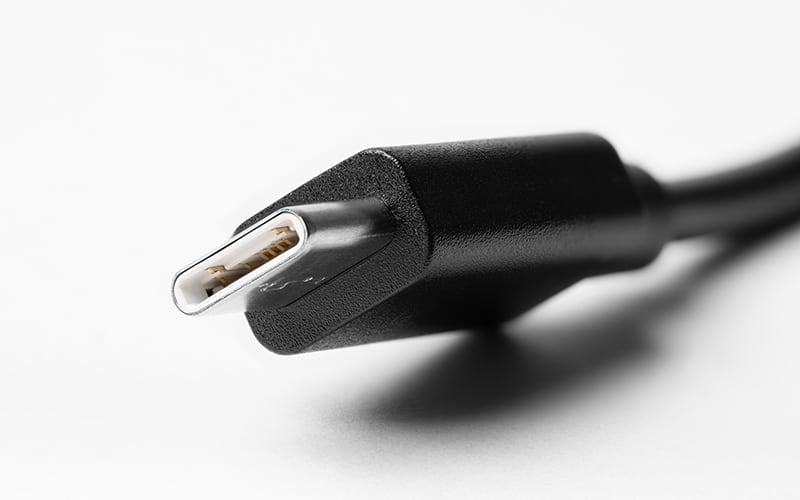
What is a USB-C charger?
Newer devices often come with oval-shaped USB-C ports and cables.
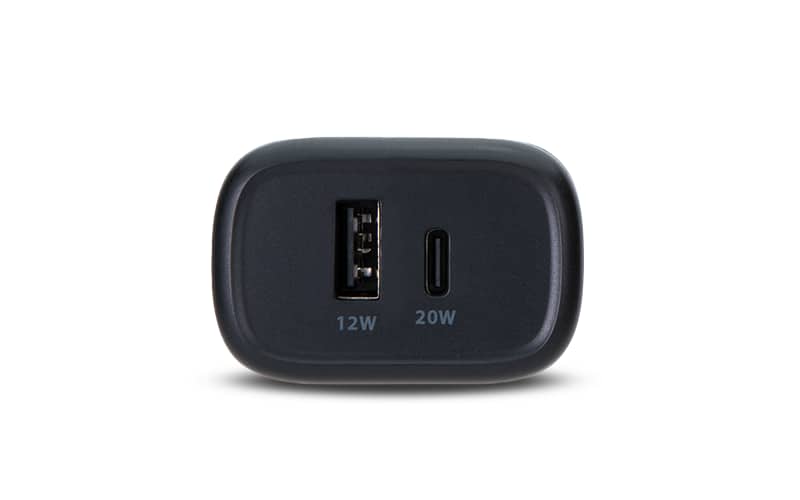
Shop all device chargers
Browse all available chargers for your cell phone or other devices.